
On-demand payout
Request a payout from your balance
Step-by-step guide
You don't have to wait for your next scheduled payout. Whenever you have an available balance, you can request a payout to your bank yourself.
Request a payout
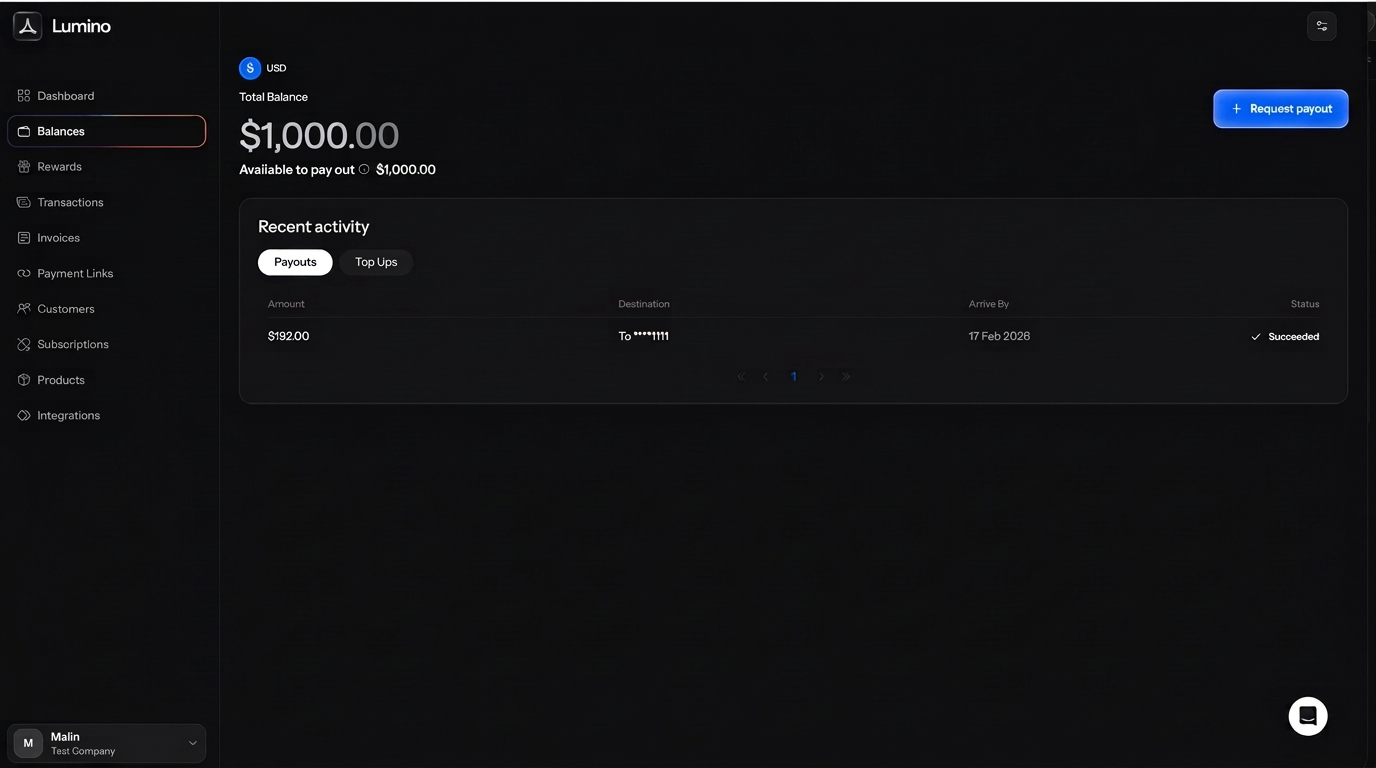
- Open Balances in your dashboard.
- Click Request payout.
- Check the amount and the payout fee in the confirmation window. The fee comes on top of the amount you pay out.
- Click Confirm to send it.
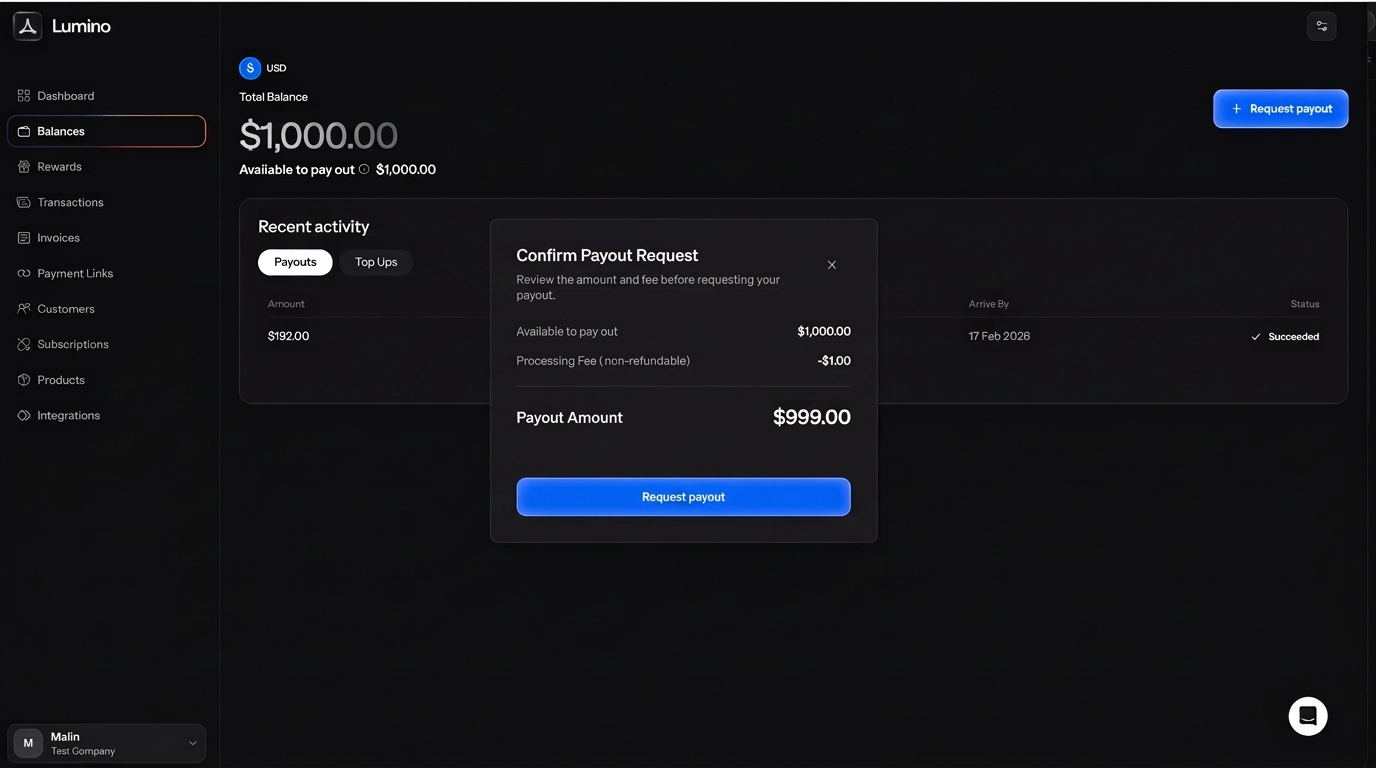
The payout is sent as soon as you confirm. It's separate from your automatic payouts, so your schedule doesn't change.
If the button is greyed out
Request payout only works when your available balance covers the payout and its fee. Only account admins can request a payout. If the window says Unable to pay out, there's nothing you can pay out right now, for example while recent payments are still inside their return window.
Prefer it automatic?
Turn on automatic payouts and money goes to your bank daily, weekly or monthly. See How to set your payout schedule.