Money·1:20
Balances & pending
Available vs. not-yet-settled funds
Step-by-step guide
Viewing and Understanding Payout Balances
This document explains how to review your current and pending balances, access your payout history, and view detailed information for individual payouts, including destination bank accounts and included transactions.
Step 1: Review Your Balances
In the Balances section, review your current available balance (the amount ready to be paid out) and your pending balance (the amount that is still waiting to be settled into your account). You can also see a list of all your previous payouts.
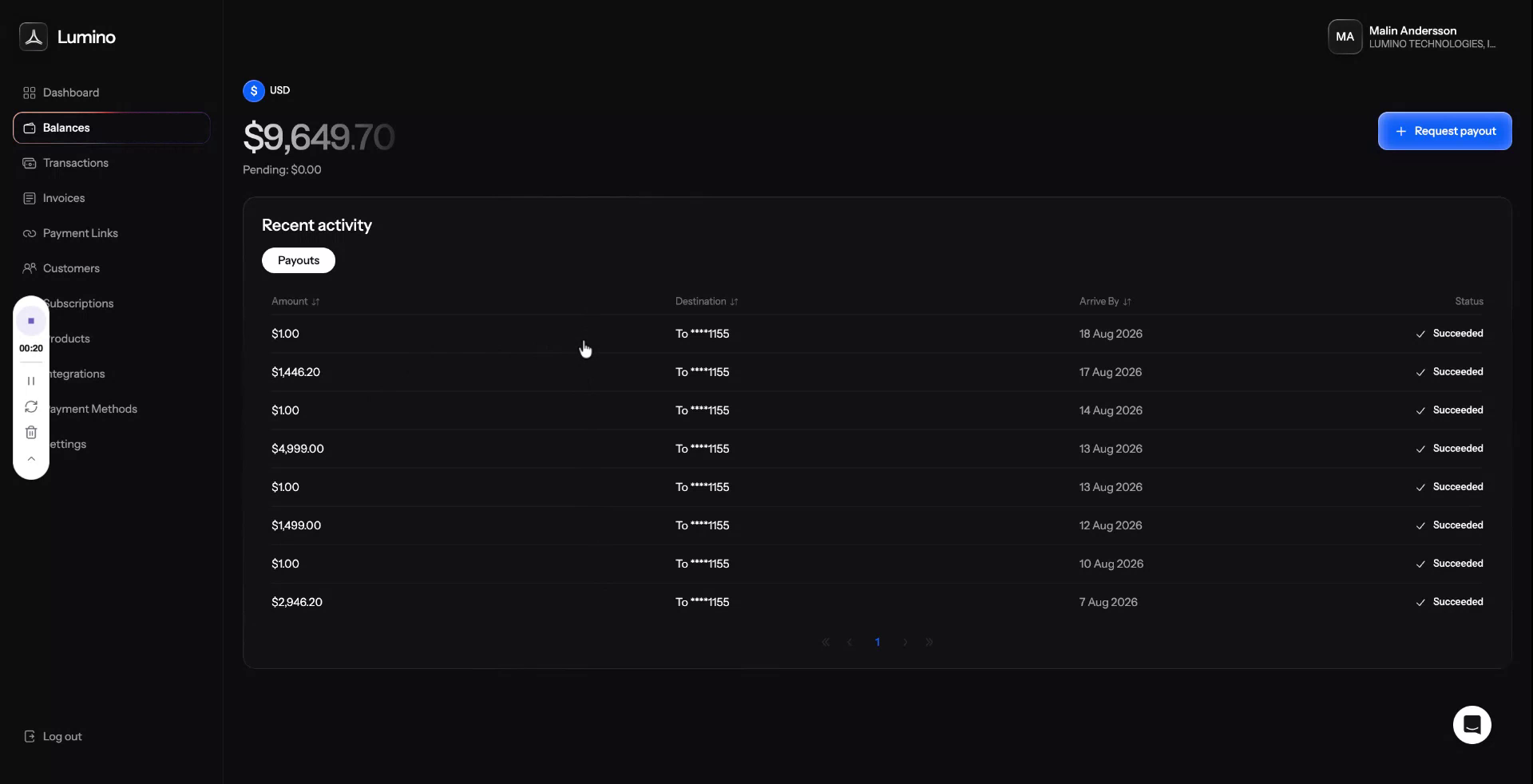
Step 2: Open a Payout and View Its Details
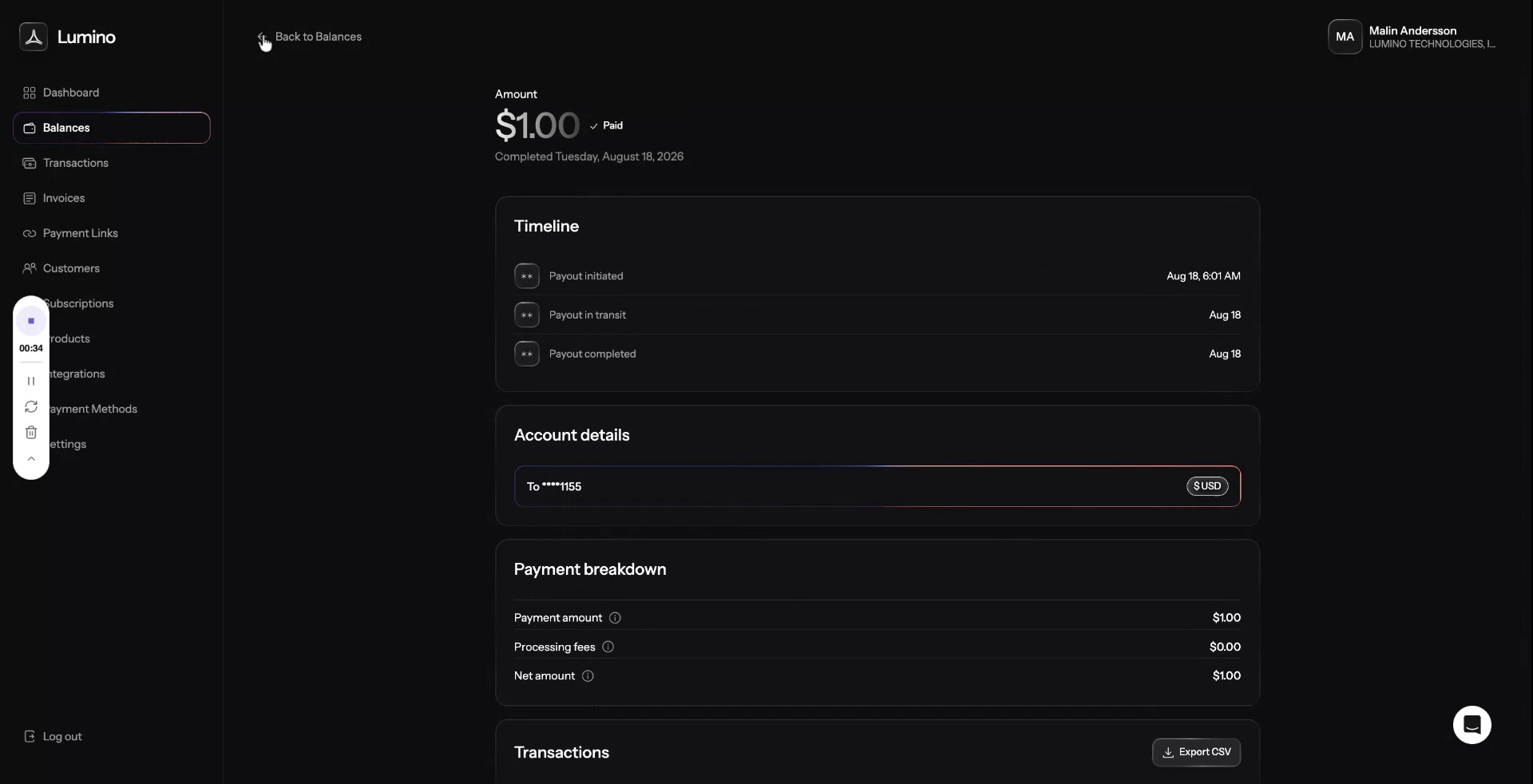
Click on a specific payout in the list to open its details. Here, you can see which bank account the payout was sent to and review all the transactions that were included in that particular payout.