Payment Methods
Affirm
Split a purchase into monthly payments.
Step-by-step guide
How to Pay with Affirm
Affirm lets you split a purchase into scheduled monthly payments. Note that Affirm is only available on mobile and is offered through Apple Pay.
Steps
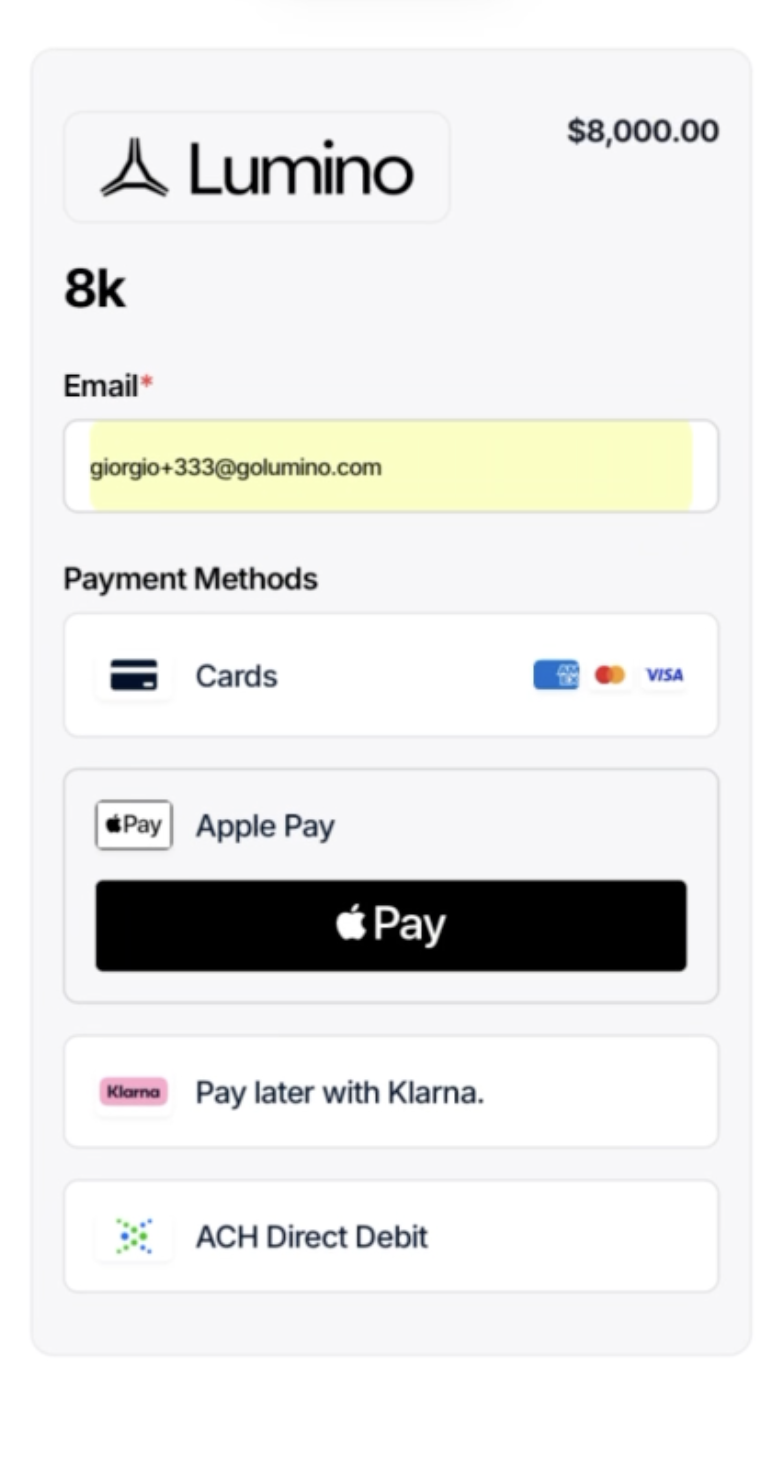
- At checkout, select Apple Pay.
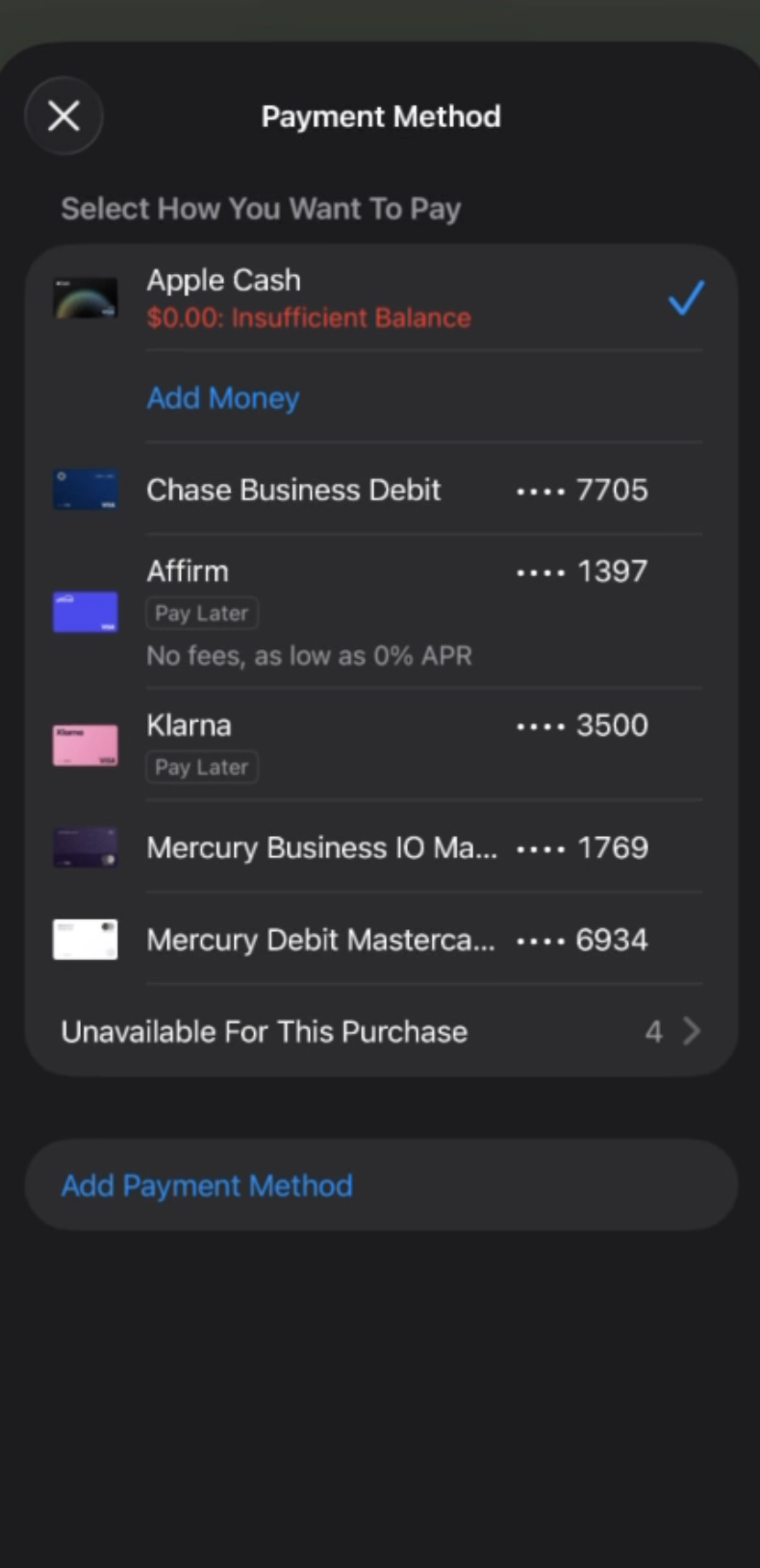
- In the Apple Pay sheet, tap the payment method row and choose Affirm.
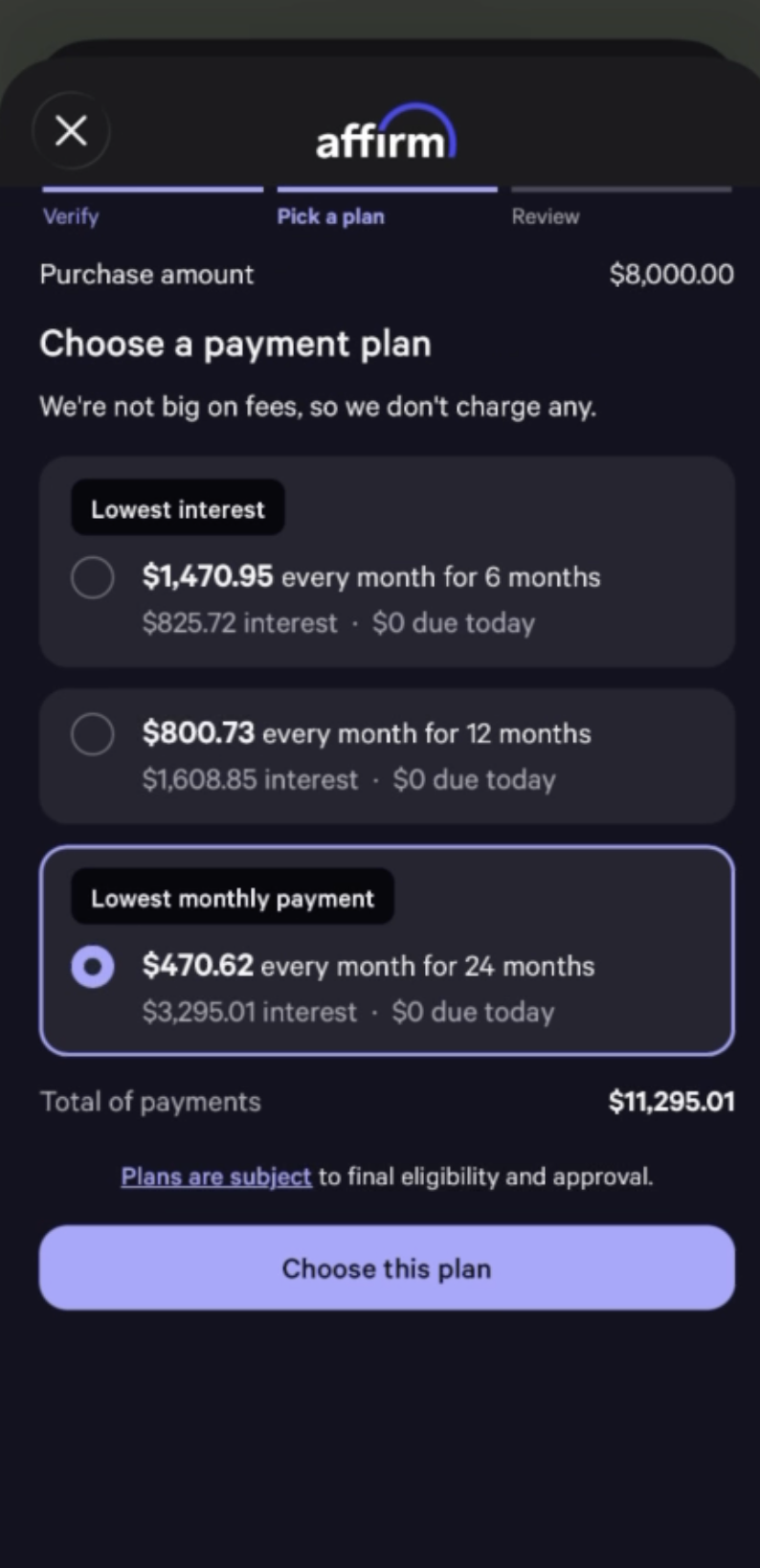
- Pick a payment plan. Each option shows the monthly payment, total interest, and amount due today — a longer term means a lower monthly payment but more total interest.
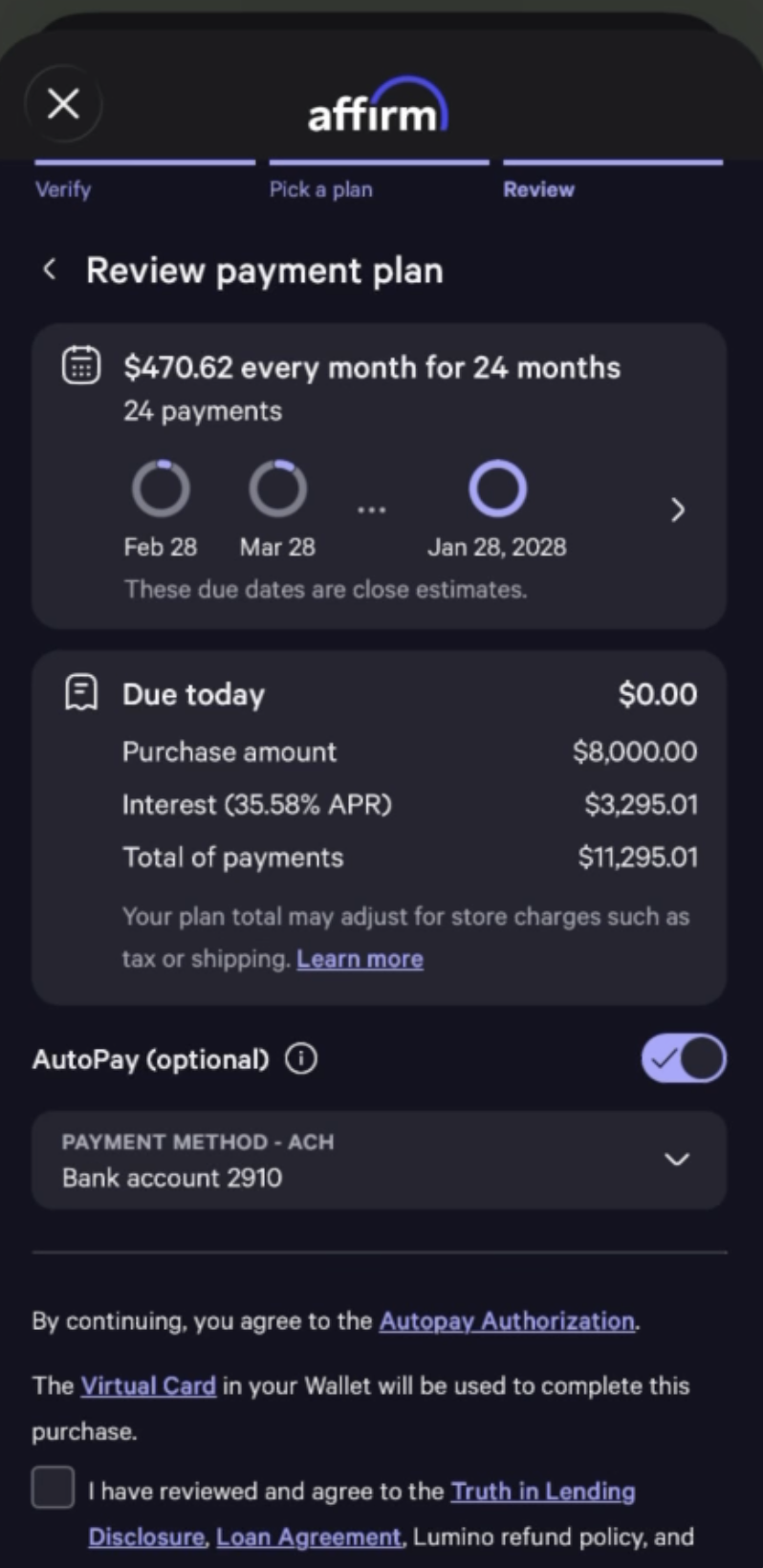
- Tap Choose this plan, review the details, agree to the disclosures, and confirm your order.